
Users receive an average of 100+ notifications daily, causing anxiety and notification fatigue.
Work, family, and spam are visually identical on the chat feed. Users spend time hunting for critical info.
Scrolling through 50 missed messages in a group chat to find one action item reduces overall app satisfaction.
Categorize and visually separate high-signal conversations from noise.
Use AI to generate quick syntheses of long unread group threads.
Implement severe, brutalist simplicity into the navigational structure.
Scroll to explore the targeted interventions.


Information Architecture simplified.
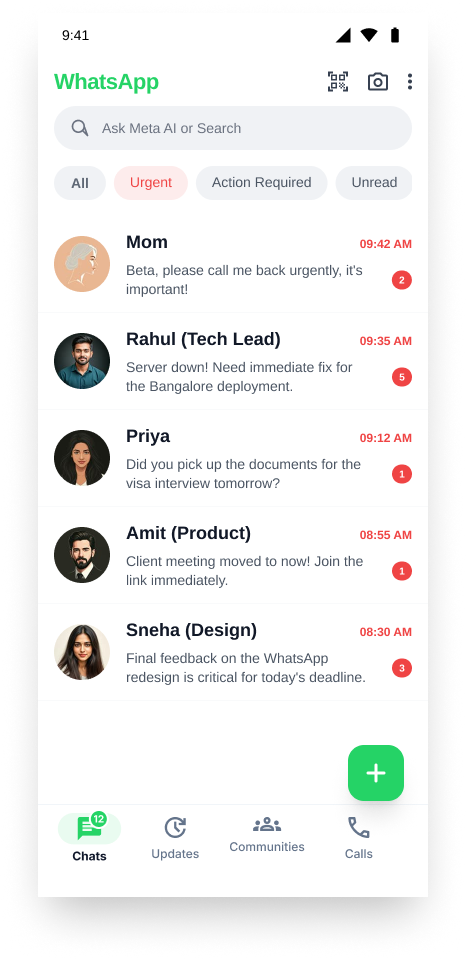
Swipe effortlessly between AI, Urgent, and Action Required. Say goodbye to scrolling past 50 memes just to find a critical message from your boss.
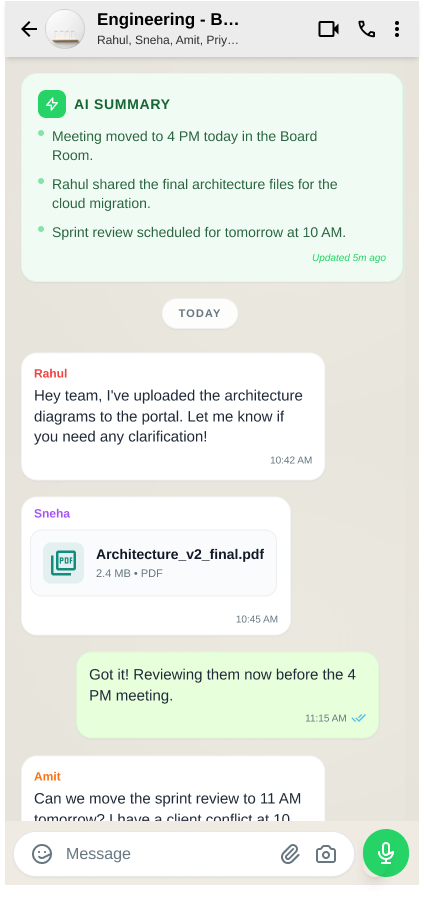
Group chats can be overwhelming. Meta AI instantly synthesizes hundreds of missed messages into 3 sharp bullet points. Know exactly what happened while you were away without the cognitive fatigue.
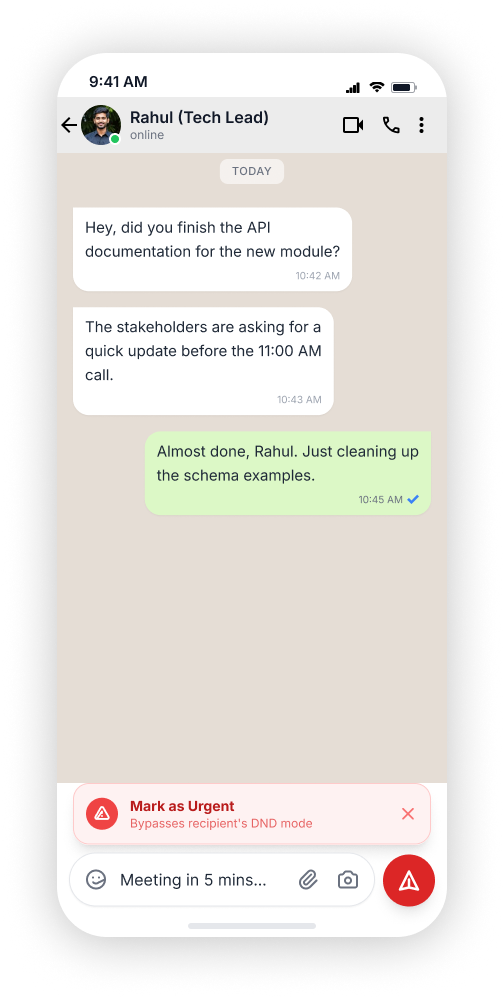
Need immediate attention? "Mark as Urgent" bypasses DND modes for critical emergencies. No more double-texting or calling when a simple message will handle it.
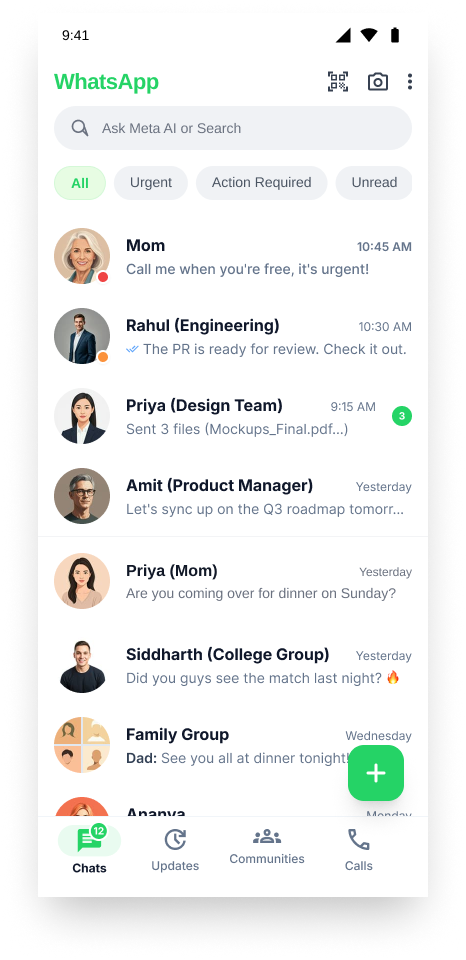
Urgent tags glow red. Action Required tags sit clearly in green. The moment you open the app, you instantly know who needs you, and who can wait.
Faster scanning of critical messages
Reduction in reported cognitive load
"It feels like WhatsApp finally has a mute button for my brain."
Designing AI into legacy applications is a tightrope walk. If it's too aggressive, users lose trust. If it's too hidden, it provides no value. The key breakthrough was allowing the user to explicitly trigger "Urgent" mode and AI Summaries, giving them agency over the magic.
Have a project in mind or just want to chat about design?
Connect Now